Paddock
One widget library.
Endless products.
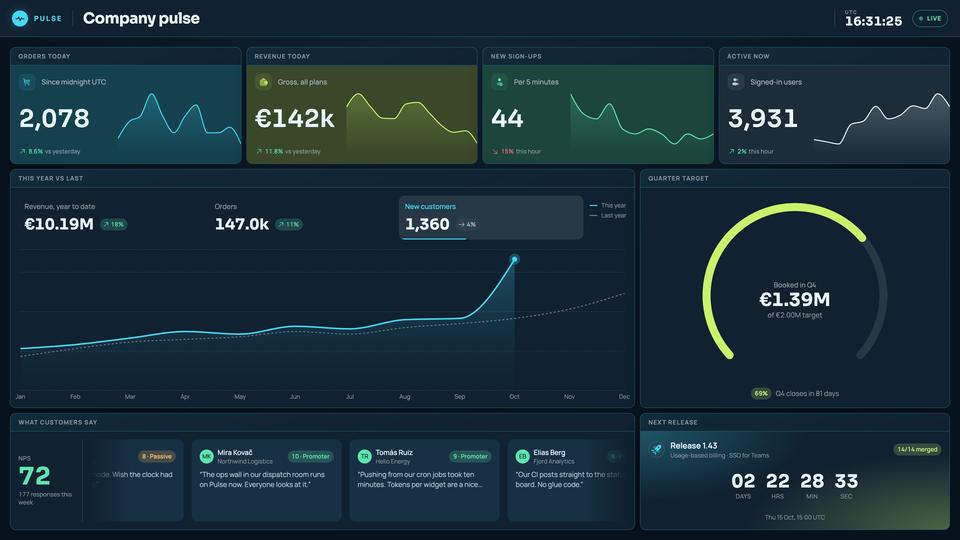
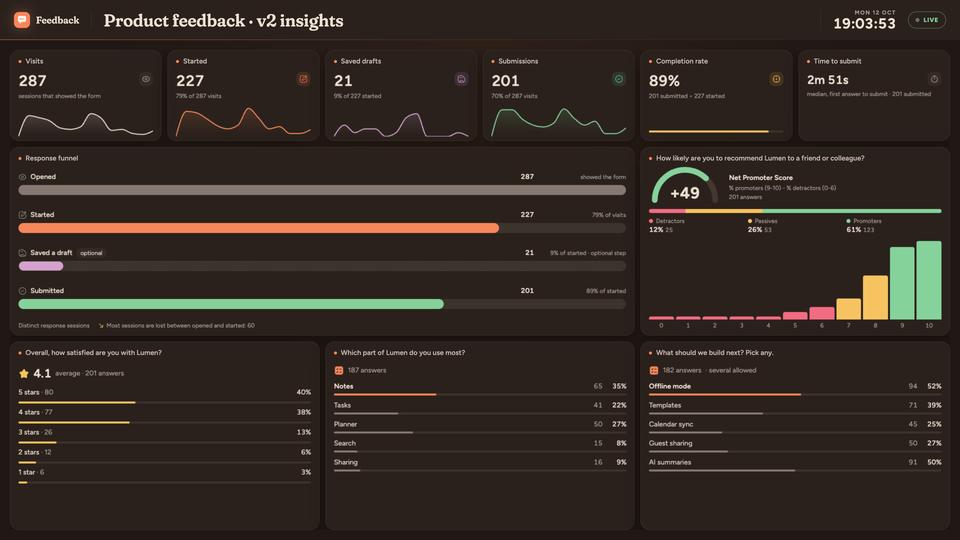
Here are three: Pulse, Feedback and SignWave, all built on Paddock, one library for widgets, dashboards and forms where the code you write runs in its own sandbox. Yours could be next.


01 One library
Same editor.
Every product.
Pulse, Feedback and SignWave open the same widget editor and the same dashboard editor, from the same packages rather than copies. Improve the editor once, and every product built on Paddock has it.

02 Widgets
Start from a block.
Make it yours in TSX.
Pick one of 220 ready-made blocks (KPI tiles, sparklines, gauges, charts), see it live with sample data, then change its code in the browser. The editor completes as you type and links to the libraries' own documentation. Click anything in the preview and it jumps to the line of code that draws it. The widget is code you own, not a settings screen.


03 Forms
Your own fields.
No account to answer.
A form field can be code you write: a 0 to 10 scale that colours each score, a tooth chart for a dentist, a car to mark scratches on for a hire firm. You write it in the same editor as a widget, with the same completions and documentation links. It is built and frozen with the version you publish, and customers answer through a link, with no account.


04 AI
AI writes it.
You save it.
In Pulse, ask for a widget in plain words, or point at one and say what to change. Pulse's own AI and the Claude or ChatGPT you already use call the same widget tools. Every write is checked, then lands as a draft beside the tile. Nothing reaches a board until a person saves it. In our own designer, where new ideas are tried first, forms work the same way: click a field and say what to change.


Under the hood
Code that stays in its box.
Every widget and custom field runs in a sandboxed frame, with the library's own pinned versions of React and the charting libraries. Its code is compiled on the server, never in the browser. The frame's policy refuses requests to other websites, and a custom field can see only its own answer unless you allow it the whole form. We put it through a dedicated security pass, and we test it the hard way: a widget written to break out tries requests, sockets, beacons, images, navigation and WebRTC, and the outside server receives nothing.
<iframe sandbox="allow-scripts" …>

default-src 'none';
connect-src <runtime>/icons/;
form-action 'none'; frame-src 'none';
object-src 'none'; base-uri 'none'
widget-preview.tsx and build-srcdoc.ts; the script, style and image sources are left out.
Built on Paddock.
-
-
-
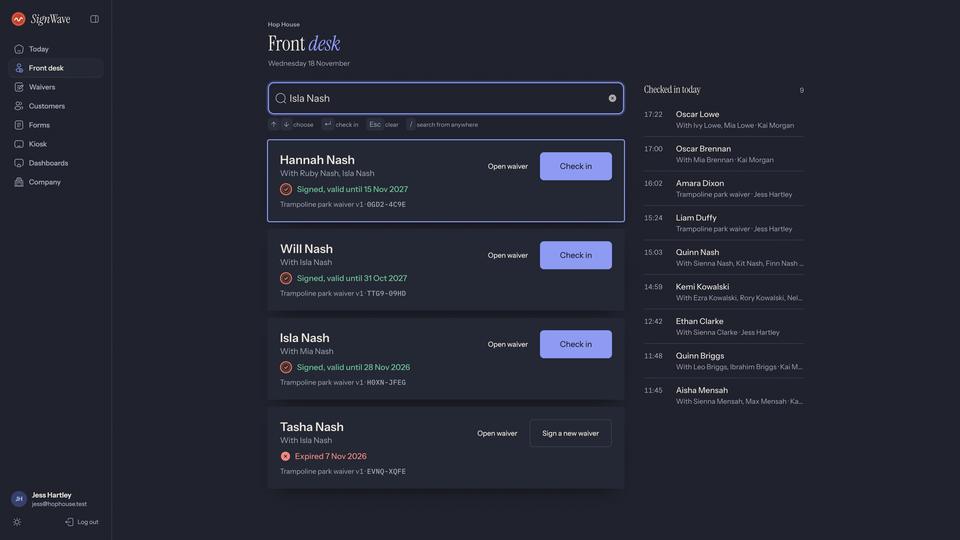
Pulse and Feedback started from the same starter app. SignWave started from Feedback.
Yours could be next.
Tell us what your business needs to show, collect or sign.